
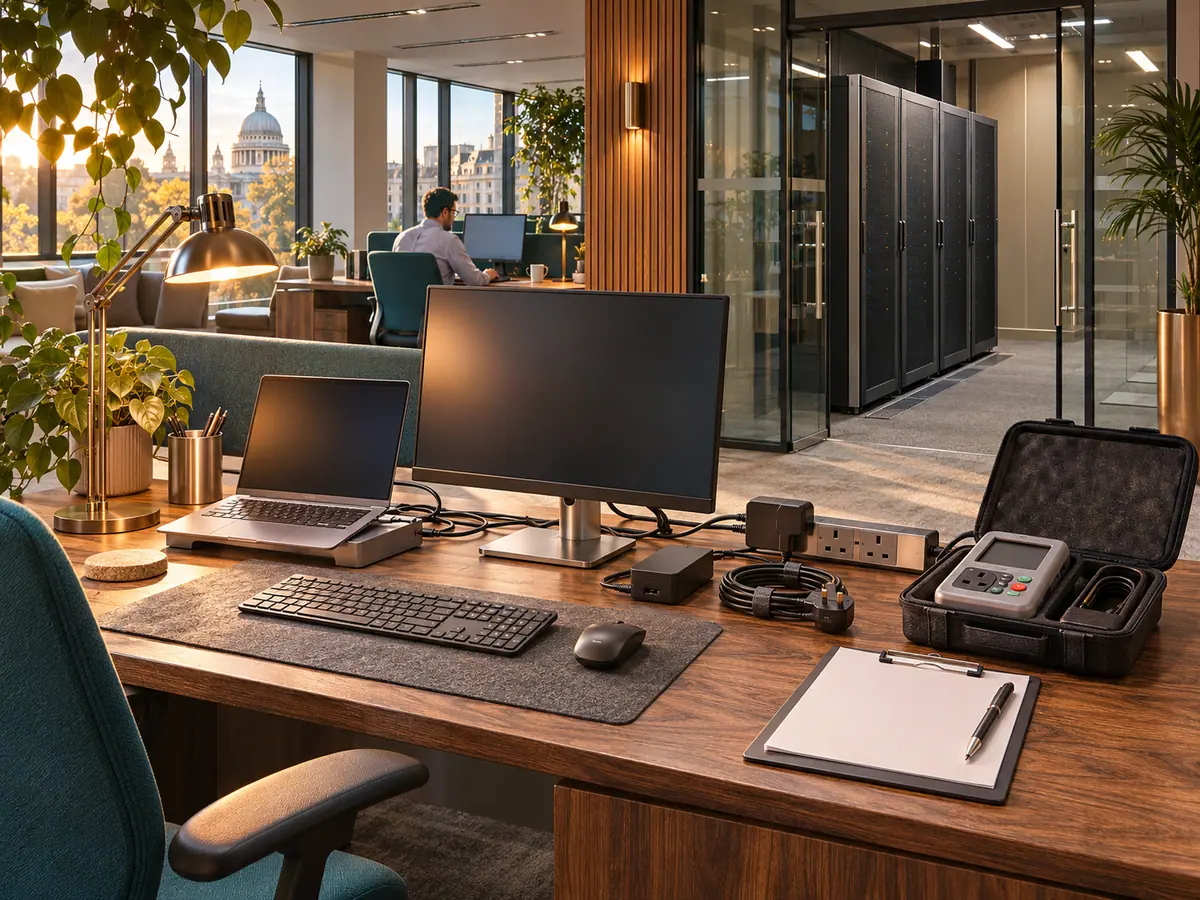
How should PAT and inspection work be arranged around office IT?
Give the assessor an equipment and power-supply inventory, identify systems needing controlled shutdown and agree appropriate methods with IT and competent testing staff. Plan access to leads and adapters, record any deferred items and verify reconnection. Do not assume all office electronics need the same test or can be unplugged without operational consequences.
Office equipment is often relatively low risk when it is suitable, protected from damage and used in a dry, clean environment. That does not make an IT equipment visit trivial.
Chargers move, leads become trapped under furniture and a plug beneath a desk may supply more than one person’s computer. A well-planned visit balances proportionate electrical maintenance with sensible control of data, equipment and downtime. The key is to share the right information before the assessor arrives. This guide focuses on ordinary commercial offices; specialist or safety-critical systems may need their own arrangements.
In this guide 5 sections
Read the guide offline or copy its planning points into your own records.
Download this guide as textInventory the power chain
List the computer or device, its mains power supply, detachable lead and any extension or distribution arrangement relevant to the desk. Do not stop at a count of employees. Shared desks, spare chargers, meeting rooms, printers and equipment in storage can make the equipment population quite different from headcount.
Record how components are identified when they move independently. If monitors and leads are swapped frequently, a fixed pairing may soon become inaccurate. Agree whether the assessor records separate components or linked sets, and make that decision clear in the quotation and returned register. Clear counting prevents both missed items and misleading totals.
Identify critical IT before promising access
Ask IT which equipment can be shut down locally and which requires a change window, backup or remote support. Servers, network switches, communications equipment and UPS-supported systems need a specific conversation. A PAT booking is not authorisation for a contractor to disconnect every accessible plug in a cabinet.
Use system or rack references rather than publishing sensitive infrastructure details widely. Give the assessor the operational information needed for planning while keeping access credentials under the organisation’s control. A named IT contact should be available for decisions. It is frustrating to have the equipment present but nobody authorised to shut it down.
Before the appointment, run the plan past both the office coordinator and IT. One may know where staff sit, while the other knows which devices support shared services. Record the few systems that need a specific window separately from ordinary desk batches. This keeps the main visit manageable and avoids a critical system being discovered only when its plug is reached.
Choose suitable maintenance actions
HSE’s low-risk guidance supports a proportionate mixture of visual inspection and testing according to the equipment and use conditions. Do not treat annual electrical testing of every office device as an automatic legal requirement. Equally, a low-risk location does not excuse a frayed mains lead or damaged power supply.
Provide manufacturer instructions or restrictions where relevant. The competent assessor decides appropriate methods; office staff should not prescribe a test simply because it was used on a different appliance. If a proposed method or access restriction prevents meaningful assessment, record the issue and agree an appropriate alternative or follow-up rather than inventing a pass.
Organise desks without losing configuration
Notify staff about the work areas, expected interruptions and what to make accessible. Ask them to save work and follow IT’s shutdown guidance. The assessor needs practical access to plugs, leads and equipment surfaces; a tidy desktop does not help if the power supply is buried in a locked cable tray.
In a hypothetical shared office, photographs or labels of ordinary cable connections can support an authorised reconnection process, subject to local privacy and security rules. They are aids to restoring a known arrangement, not proof that the arrangement was electrically suitable. Keep any changes or damaged parts visible in the work record.
Reconcile and restore
At handover, confirm which areas were completed, which items remain unavailable and whether any equipment was removed from use. IT or the responsible users should confirm operational recovery. A successful electrical check does not demonstrate that a workstation has reconnected to the network or that a device’s settings are correct.
Use damage findings to improve workstation layouts. Replacing a trapped lead without changing the desk arrangement can leave the next lead exposed to the same problem.
- Inventory includes mains supplies, detachable leads and shared accessories.
- Servers, communications equipment and UPS systems have specific plans.
- Staff receive clear desk-access and shutdown instructions.
- Manufacturer information reaches the person choosing test methods.
- Exceptions have identifiers, reasons and follow-up owners.
- Reconnection and operational checks are completed before the area is handed back.
PAT testing questions.
Do computers always need annual PAT testing?
No. HSE advises risk-based maintenance and explains that annual testing is often unnecessary in low-risk environments. Assess the actual equipment, use and damage exposure.
Can sensitive equipment simply be excluded?
Any exclusion should be explicit and followed by a suitable maintenance decision. Ask a competent person and the manufacturer or service specialist about appropriate assessment and access.
Find the relevant service details, access considerations and information to include in an enquiry.
Offices: inspection planning →Find your site area →Prepare a site inspection list →Sources used for this guide.
The linked guidance supports the factual context. Check its jurisdiction and the requirements for your actual premises.
- HSE INDG236: Maintaining portable equipment in low-risk environments ↗
Practical guidance for office-type equipment, visual checks and proportionate maintenance; its suggested starting intervals are not statutory deadlines.
- HSE: Portable appliance testing questions ↗
Explains risk-based maintenance, new equipment, competence, and the position on annual testing, labels and records.
- HSE HSG107: Maintaining portable electrical equipment ↗
Supports equipment maintenance using user checks, formal visual inspections and appropriate tests, with decisions based on use, environment and findings.
PAT testing: scope & records.
See what the service includes and which site details help prepare a relevant quote.
View the service details